← Field guideSee the whole learning cycle.
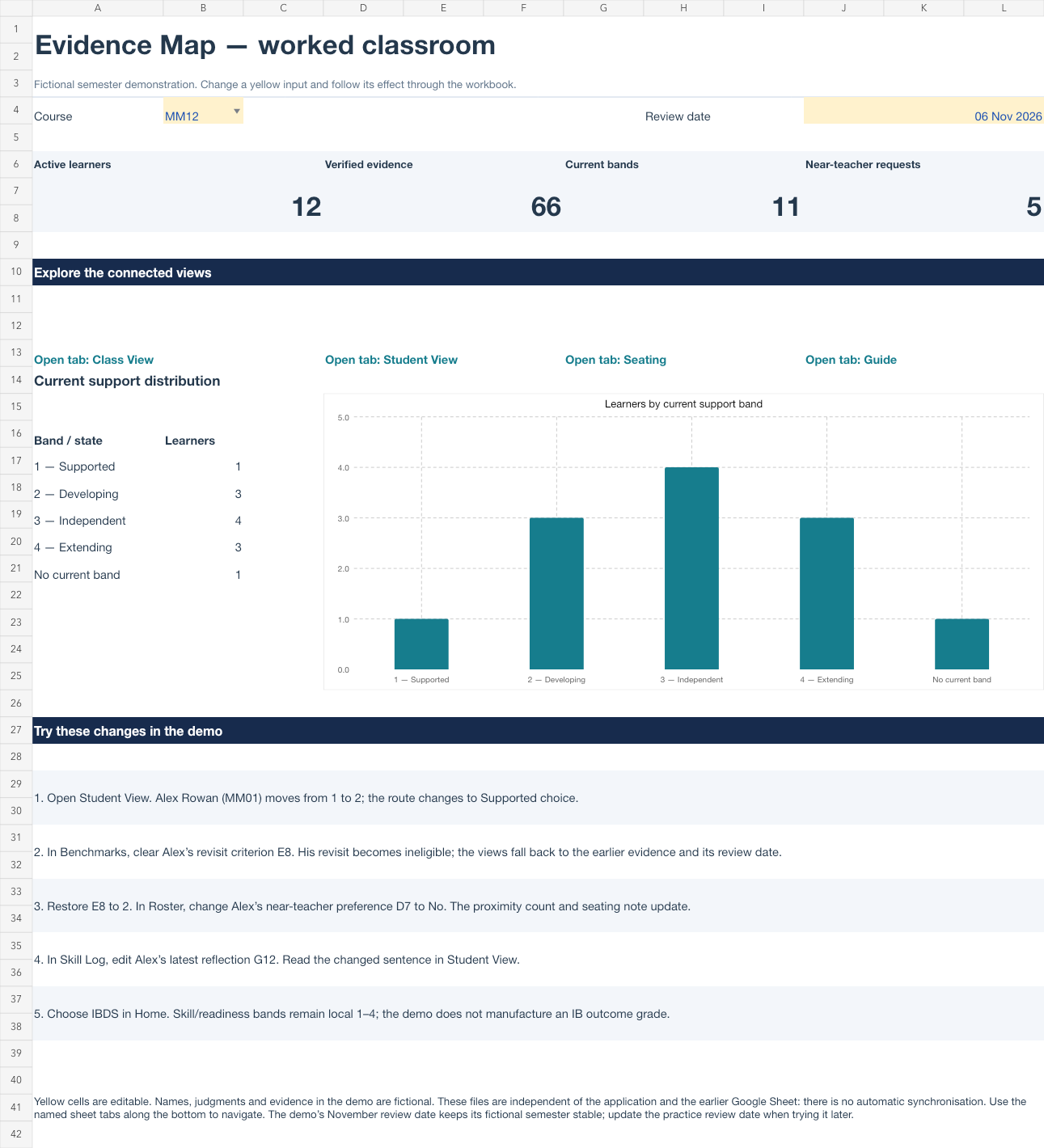
Explore a fully worked classroom, then try the same connected workbook with one practice learner. The files use formulas, editable charts, course selectors and linked evidence IDs.
Explore the demo
20 fictional learners across MM12, COM11 and Digital Society. Follow 114 evidence entries and 38 benchmark attempts into resource routes and teacher-reviewed seating.
Download complete demoTry it yourself
A practice learner is ready, with clear instructions for your first three evidence entries and one benchmark. The formulas and reference sheets are already connected.
Download practice workbookStart with Alex
- Open the Demo workbook’s Home sheet. Choose MM12.
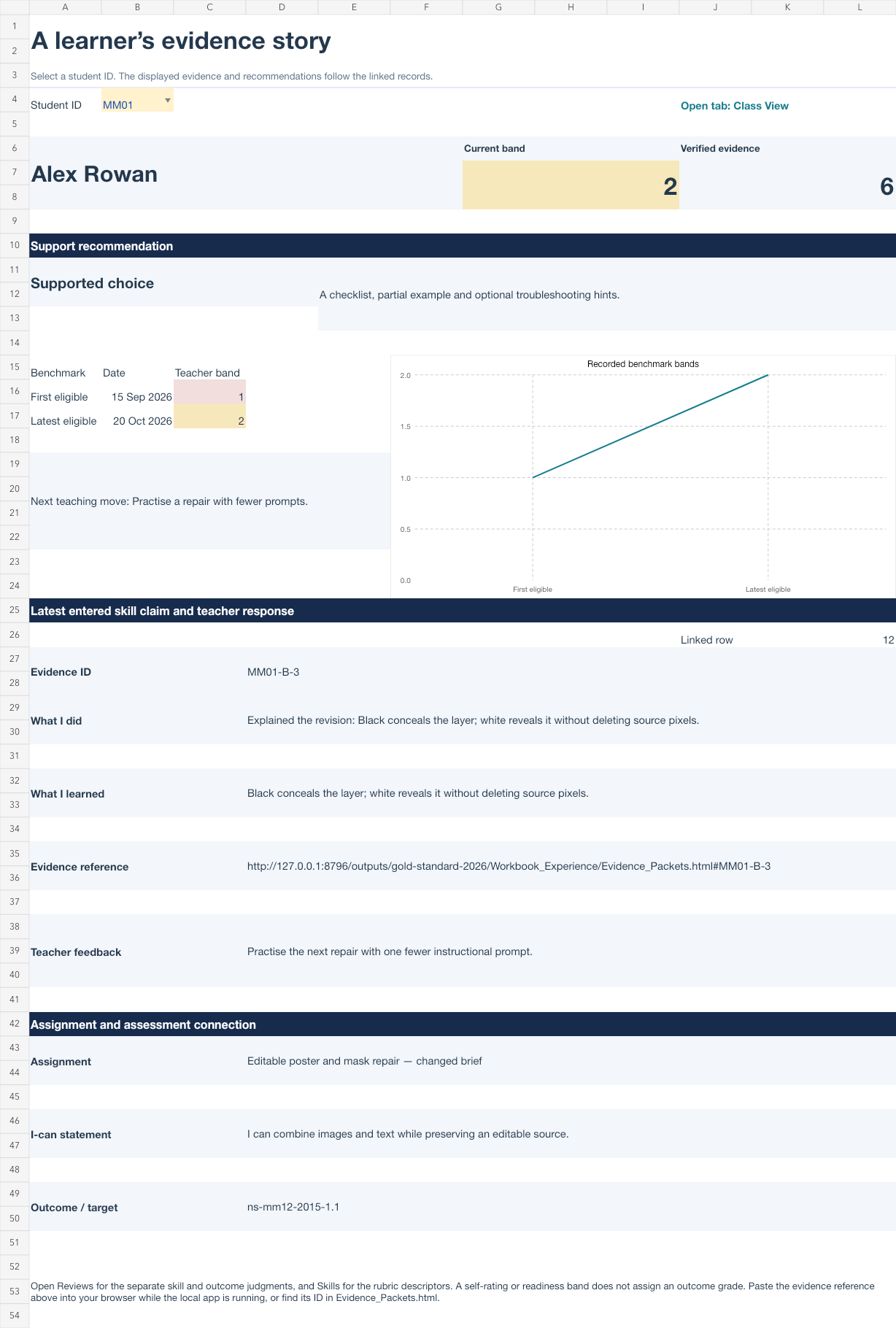
- Open Student View and select MM01. Alex moves from a baseline band of 1 to a revisit band of 2.
- Read the latest claim, reflection and teacher response. Follow its evidence ID into Skill Log, Reviews and Benchmarks.
- Change a criterion or a near-teacher preference using the Home exercises. Watch the linked views respond.
- Use the Practice workbook’s five-minute exercise to enter your own example.
One learner, connected records
Keep the meaning clear
Every demonstration learner and performance is fictional. Self-ratings, teacher skill judgments, outcome judgments and readiness bands remain separate. Resource routes are suggestions for teacher review. Seats are manually chosen. The demo is not a validated Kagan assessment.
Workbooks do not automatically sync with the application or the earlier Google Sheet. Use the named sheet tabs in Excel or Google Sheets. Evidence links open these fictional packets while the local application server is running. You can also open Evidence_Packets.html from this folder and find an evidence ID.