Before class
Confirm the lesson, the outcome and one or two skills. Check the task files. Decide which learners need a conference or reassessment. Prepare a draft seating plan if useful.
From planning to defensible evidence
A practical guide to your courses, skill evidence, classroom teams and teaching materials.
All 12 topics shown
No matching topic. Try a shorter term, or clear the search.
01 / First session
Use a small pilot before relying on this as your main assessment record.
02 / Daily teaching
Plan one observation focus and one short individual check. You do not need to score every student on every skill in every class.
Confirm the lesson, the outcome and one or two skills. Check the task files. Decide which learners need a conference or reassessment. Prepare a draft seating plan if useful.
Students produce work and record a specific skill claim. Observe a purposeful action. Ask the learner to explain a choice or repair a changed example. Record help given and access supports.
Review a manageable set of claims, give one next step and choose the next practice opportunity. Enter any warranted outcome judgment. Reload to check saving, then back up.
A useful note is “On PS-A, restored the missing edge through the layer mask and explained why the source pixels remained intact; no instructional hints.” “Worked well” does not identify what the learner demonstrated.
03 / Assessment
The evidence map answers: what does this learner’s body of evidence show about the course expectations?
| Element | Where to work | How to use it |
|---|---|---|
| Course outcomes | Curriculum Design | Check authoritative wording and its source. Pending transcriptions need teacher reconciliation. |
| I-can statements and look-fors | Curriculum Design | Translate the expectation into something learners can understand and demonstrate. They do not replace the outcome. |
| Task and rubric | Assessment Design / Evidence Capture | Check that each descriptor fits this task and the selected evidence method. Generated rubrics are drafts for review. |
| Product | Evidence Capture | Inspect the actual artifact: for example, layered PSD, storyboard, recording or source-supported response. |
| Observation | Evidence Capture | Describe an action seen while the student worked, including the conditions. |
| Conversation | Evidence Capture | Capture an individual explanation, prediction, justification or response to a changed example. |
| Outcome judgment | Student Progress | Review relevant evidence and exercise teacher judgment; keep insufficient evidence visible. |
Product, Observation and Conversation are evidence sources. Three entries about the same performance are not automatically three independent demonstrations. Choose the combination that makes the criterion visible; do not manufacture a conversation to fill a box.
Reporting: a diagnostic total, readiness band or skill level does not determine a percentage or IB grade. PowerSchool exports currently require school review and configured marks; blank score fields are intentional. Confirm the reporting rules before using an export.
04 / Learner evidence
A claim begins a conversation. Teacher verification establishes what was actually observed.
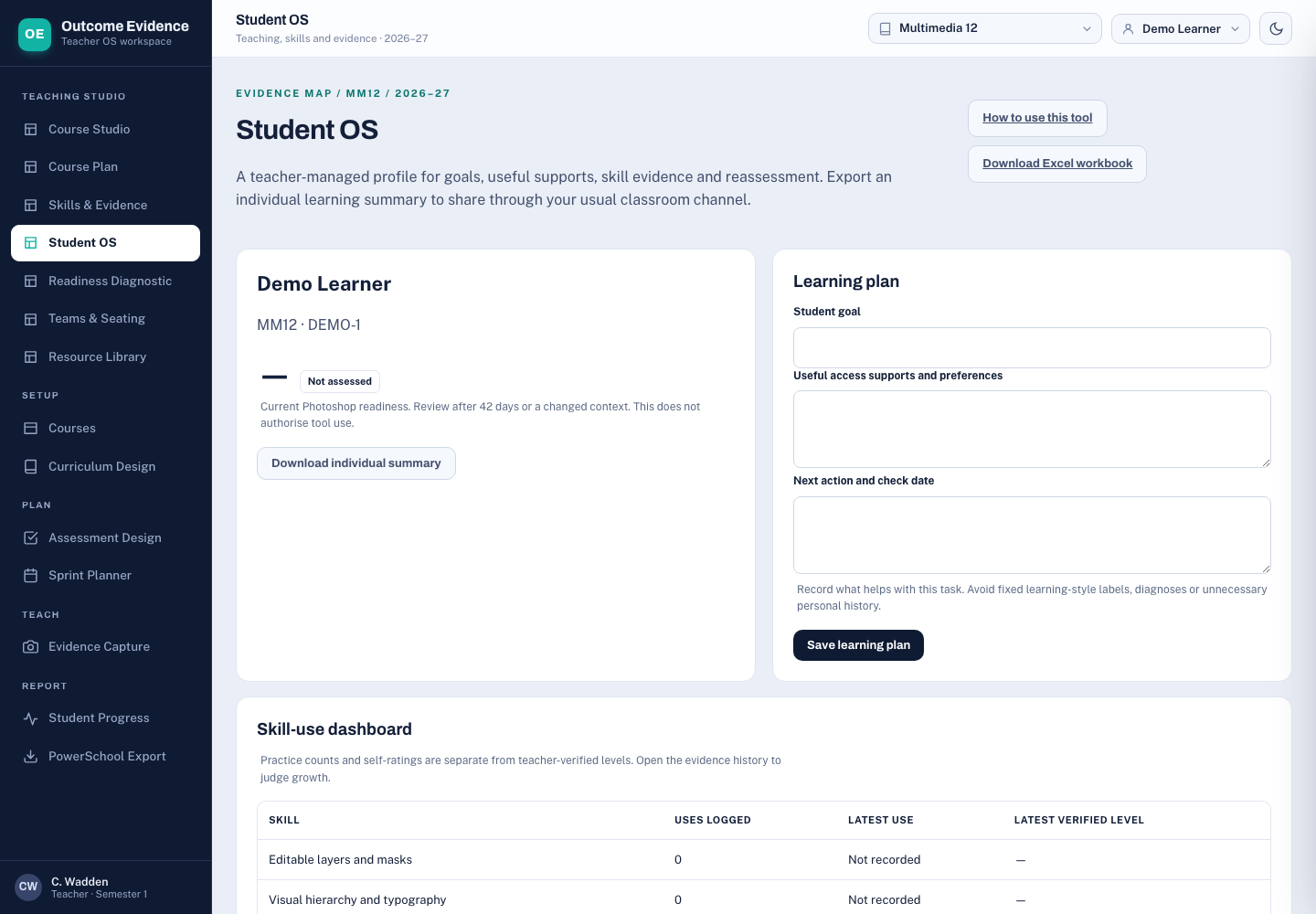
Open the student distribution kit. Share the student folder through your normal classroom system. It has no login; people sharing a browser profile can see its local entries. Keep teacher keys, rosters and backups in teacher-controlled storage.
05 / Readiness
Kagan is the intended reference. Our diagnostic is a local, Kagan-informed teaching aid; it is not a published or validated Kagan test.
Start with modelling and a small supported success.
Practise with prompts, then gradually remove them.
Apply the skill independently in the task.
Adapt, explain and repair in changed conditions.
The band describes readiness for a particular task. Keep the four criterion results and skill history visible. A student can be strong at visual communication and need support with masking. Record useful supports and preferences without assigning fixed learning-style labels.
Research background: Kagan’s positive interdependence and individual accountability; the existing teacher guide and research notes.
06 / Classroom organisation
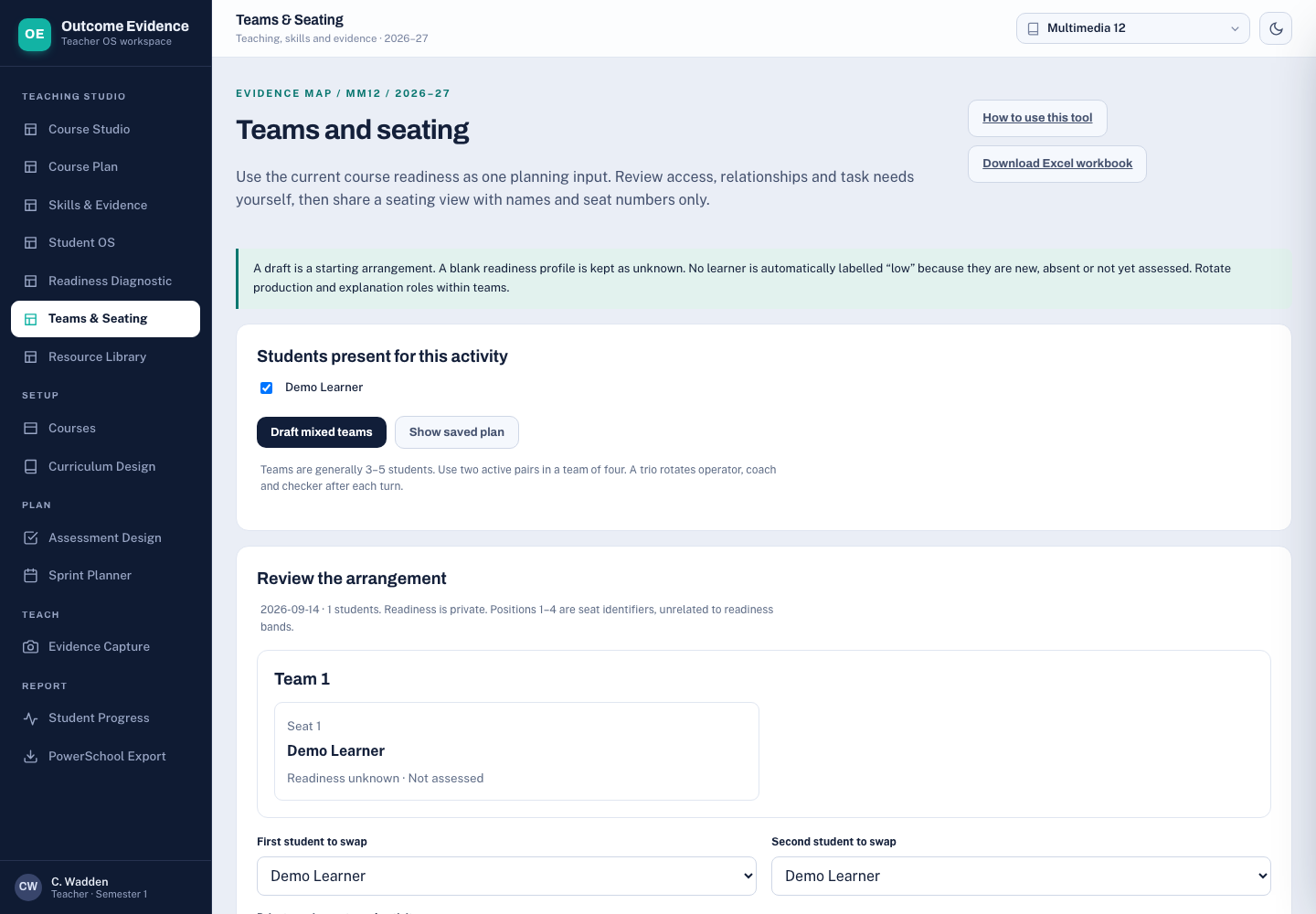
Treat grouping as a teacher-reviewed plan for the task, with an individual accountability check.
Three different numbers: a seat number identifies a turn; a criterion level describes a performance; a readiness band helps plan support. Do not use seat numbers as a public ranking of students.
07 / Production
A textbook helps with subject knowledge and technique. The course outcome, task and evidence requirements define what the agent must build.
Download fabrication agent starter kit Read the job prompt
| Course / purpose | Recommended source | What to supply |
|---|---|---|
| MM12 / COM11 Photoshop | Adobe Photoshop Classroom in a Book 2026 Release, Conrad Chavez; ISBN 9780135495001. | Optional single practical reference. Use a licensed accessible copy or chapter notes, plus current Adobe help. Start with work area, selections, layers and masks. Check the actual edition and pages. A web edition is not automatically a downloadable PDF. |
| Digital Society | Digital Society for the IB Diploma Programme, Bomfim and co-authors, Hodder 2022; ISBN 9781398358416. | A local PDF was found in Downloads. Title and copyright pages were verified; this audit did not review the whole book. Pair the relevant chapter with the applicable IB guide, task criteria and current primary-source cases. |
| Cooperative learning | Kagan Cooperative Learning, Spencer Kagan and Miguel Kagan. | Optional teacher strategy reference. The linked free articles and existing teacher guide are enough to start the pilot. The book is not a student ranking instrument. |
You do not need to purchase a stack of books. For the Photoshop pilot, the existing brief, original assets, verified outcomes and Adobe’s current layer-mask documentation can support fabrication. The textbook makes sequencing and troubleshooting easier; actual software rehearsal remains necessary.
The previous Book Resource Audit names additional Photoshop books. That historical note does not demonstrate that their files are available to the next agent. The kit includes a manifest to make availability explicit.
08 / Records and recovery
The workbooks are accessible files. They do not automatically synchronise with the application.
Explore the complete demo and try a practice copy →
The redesigned pair has a Home dashboard, a class overview, an individual evidence story and a seating view. Follow Alex from band 1 to band 2, then enter three linked evidence items in the practice copy. All demonstration learners and performances are fictional.
| File | Contains / purpose | Restore destination |
|---|---|---|
| Full app JSON backup | Legacy outcome records plus Studio state and roster/configuration data included by the exporter. | App’s full JSON import validates the complete backup, previews replacement counts and saves it in one atomic write. |
| Studio JSON backup | Skills, profiles, diagnostics, groups and planning edits. Excludes legacy outcome evidence. | Resource Library → Restore studio backup; inspect the preview. |
| Student passport JSON | A learner’s unverified skill claims. | Skills & Evidence → Import student claims. |
| Planning JSON | Lesson proposals, not student records. | Course Plan → planning import and preview, for the supported schema. |
| Excel / evidence CSV | Reference, analysis or a snapshot for a defined workflow. | Not a browser-state restore. There is no general Excel-to-app synchronisation. |
Working routine: choose where the authoritative working record lives. Download a full backup before imports and at the end of a teaching session; keep dated copies. Verify a few recently entered records after reload. Practise restoring into a separate test browser before relying on recovery.
Recovery: failed writes now show a failure and preserve the previous durable state. A recovery banner can download raw stored data and an unsaved candidate. Damaged storage is write-blocked. Use a valid full backup to recover. A second tab with an old revision must reload before saving.
09 / Quick answers
Start with the stored record and its context before changing a student judgment.
Check the browser profile, course and exact address, including the port. Local storage belongs to that origin. Do not clear browser storage. Locate the last full backup and verify it in a separate test browser. An application ZIP contains teaching files, not your browser’s private records.
Skill and outcome judgments remain separate by design. Select the outcome in the skill evidence form to link the same record. Choose its separate outcome level only after reviewing the criterion. The artifact reference is shared and can be revised from Student OS.
Check that the diagnostic has four criterion ratings, complete evidence, a teacher band, rationale and verification. Check its date and review date. A review-due attempt remains in the history. No evidence is not level 1.
Use Import student claims in Skills & Evidence. The course, student ID and skill must match the teacher roster and skill library. Planning data, Studio backups and passport exports are different file types.
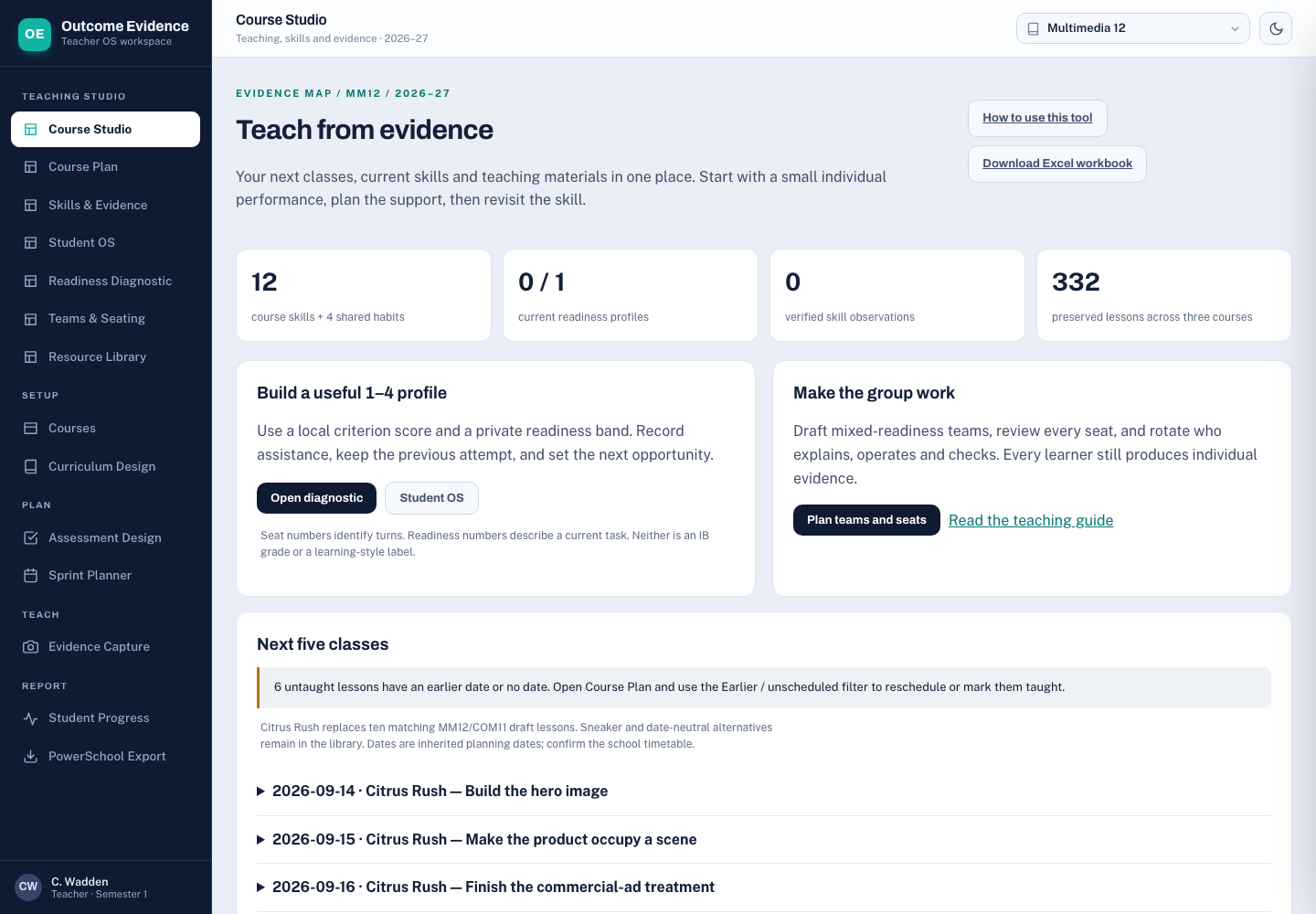
Open Course Plan and inspect all dated lessons. The next-five list shows a warning when earlier or unscheduled lessons remain untaught. Choose the Earlier / unscheduled filter in Course Plan. Review nearby lessons and confirm the dependency check before changing a date. Marking a lesson taught does not create evidence.
Compare it with the authoritative course wording and the actual task. Treat generated text as a draft. MM12 now has five active published Sound outcomes; earlier Sound evidence remains under its original keys in Student OS. IB targets are explicitly labelled local interpretations with guide references. Review historical evidence individually before making a new outcome judgment.
Require a file manifest and actual deliverables. Check every local link and referenced asset. A report about a PSD is not the PSD; an illustration of Photoshop is not a genuine application capture. Keep the package at pilot status while any required rehearsal remains unfinished.
10 / Product direction
Evidence Map handles teacher assessment; Student OS handles teacher-managed skill profiles, goals and evidence. A shared record connects the two. Student accounts are deferred at your request.
What am I learning? What should I practise next? Where is my evidence? What feedback have I acted on?
Skills, current goals, submitted claims, feedback and reflection. The separate passport stores one learner’s reflection in their browser; this is not an authenticated portal.
One evidence ID links the learner, course, task, artifact, date, method and conditions.
Teacher review can support a skill judgment and an outcome judgment without duplicating the artifact or pretending those judgments are identical.
What can I substantiate? Which outcomes need better evidence? What should I teach next?
Outcomes, I-can statements, rubrics, professional judgments and reporting. Private readiness and seating tools remain teacher-controlled.
Keep the initial implementation in one maintained codebase with distinct teacher and learner interfaces. Do not split into independent databases and recreate today’s duplication. A real student portal needs authenticated identities, course membership and enforced access controls before students use it for private records.
Kagan’s role: inform participation, interdependence and individual accountability. Build Student OS around growth and evidence, with private, revisable readiness information for teachers. Avoid one permanent number that follows a learner across unrelated subjects.
Read the detailed product audit Read the system design and implementation status
11 / Audit repairs
The original outcome workspace remains, now connected to skill evidence. Student accounts are deferred.
'Read completed repairs and remaining checks · Read the original audit · Photoshop pilot and moderation
12 / Connected assignments
Use Assignments & Rubrics as the current dated assessment workspace. Earlier catalogues are retained separately.
Missing content remains missing: this update does not manufacture official IB markschemes, certify Photoshop rehearsals, create accounts or synchronize Excel automatically. Read the implementation and verification record.